Geometry Dash Breeze 3D
 Stickman Kombat 2D
 Geometry Black Ball
 Melon Sandbox
 Hole Io
 Paper Minecraft
 Endacopia
 Geometry Dash 3D
 Geometry Dash Lite
 On On Dash
 Geometry Dash Wave
 No Broke Dash
 Geometry Dash Meltdown 3D
 Geometry Dash Slow
 Another Drink Dash
 Geometry Dash Onward
 Victory Lap Dash
 Geometry Dash Grief
 Geometry Dash Polargeist
 I Just Might Dash
 Geometry Dash Wave Challenge
 Geometry Dash Press Start
 Geometry Dash Demons
 Gaminia
 Infrunami
 Geometry Dash Retray
 Geometry Dash Tidal Wave
 Geometry Dash Switch
 Geometry Vibes 3D
 Geometry Dash Hairless Adventure
 Geometry Dash Suponho
 Geometry Dash Daily Level: Dream World
 Geometry Dash World
 Geometry Jump
 Geometry Jump 2
 Geometry Arrow
 Geometry Dash Bloodbath
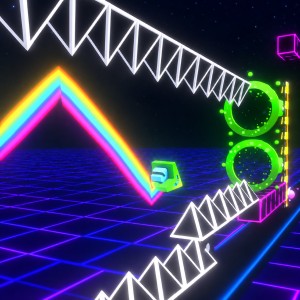 Geometry Dash Spam 3D
 Geometry Dash Subzero 3D
 Geometry Arrow 3D
 Crazy Roll 3D
 Geometry Dash Lite 3D
 Geometry Dash Happy Halloween
 Geometry Dash Scratch
 Geometry Dash Subzero
 Geometry Dash Spam
 Geometry Dash Meltdown
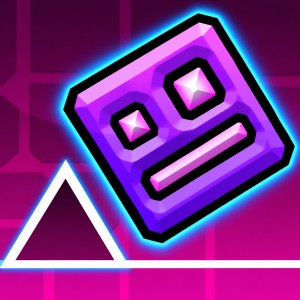 Geometry Dash Breeze
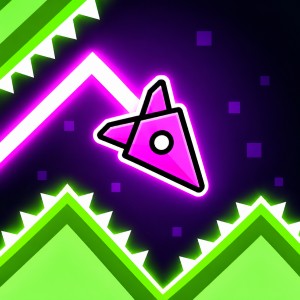 Geometry Vibes
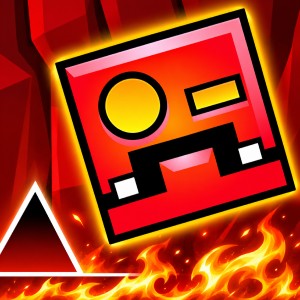 Geometry Dash Deadlocked
 Count Masters
 Talking Tom Gold Run
 Subway Surfers
One Tap, Endless Timing: The Core Idea Behind Geometry Dash Breeze 3D
What defines Geometry Dash Breeze 3D most clearly is that your character never waits for you, because it keeps running forward on its own while the only decision left in your hands is the exact moment to act. Most platformers ask you to steer left and right, to stop and think, or to adjust your position before committing to a jump, but here the whole challenge is compressed into timing, which turns every obstacle on the course into a small puzzle about when to press instead of where to go.
That idea is easy to grasp within a few seconds of starting, yet it becomes surprisingly difficult to master, since a single spike is simple to clear while a run of spikes followed by a jump ring and then a pad that launches you upward demands a precise sequence in which one press that comes slightly too early or too late ends the attempt. The controls never change as the course grows more demanding, so improvement comes from learning to read patterns and anticipate what follows instead of memorizing new buttons.
The game follows the style of the Geometry Dash series, borrowing its automatic scrolling movement, spikes, jump rings, pads and flying ship sections, although it is a fan made take on that formula and should not be mistaken for an official entry from the original creators, and if you would like to try the base game that inspired it, you can head to the Geometry Dash Breeze page and start playing right away. What sets this version apart is the 3D presentation, in which platforms, hazards and backgrounds are staged with a sense of depth so that a run feels like travelling through a space instead of sliding across a flat strip.

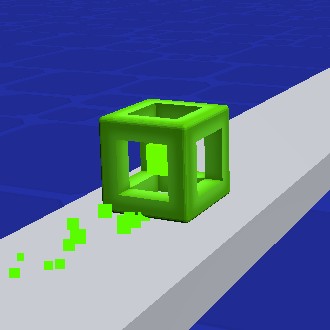
Figure 1. 3D cube
How Does a 3D Look Change the Way You Read a Level?
Depth is more than decoration in a game that moves this quickly, because when backgrounds sit in separate layers and the playfield carries a sense of perspective, your eyes receive extra information about speed, with distant shapes drifting slowly while nearby objects pass by much faster, and that contrast lets you feel the pace of the course without needing any kind of speed indicator.
Contrast also does practical work, since hazards must separate clearly from the scenery when you may have only a fraction of a second to recognize a cluster of spikes, and a carefully judged 3D treatment keeps the danger zones visually sharp while letting the decorative layers fall back into the distance. Motion trails, small flashes and shifts in lighting add feedback on top of that, so you can tell right away when a ring or pad has fired and your next input needs to adjust to the new trajectory.
Should the visual effects ever slow your device down, the game includes a simple remedy, because pressing the L key turns effects on and off to reduce lag, which is a welcome option in a game where smooth frame timing matters nearly as much as skill.
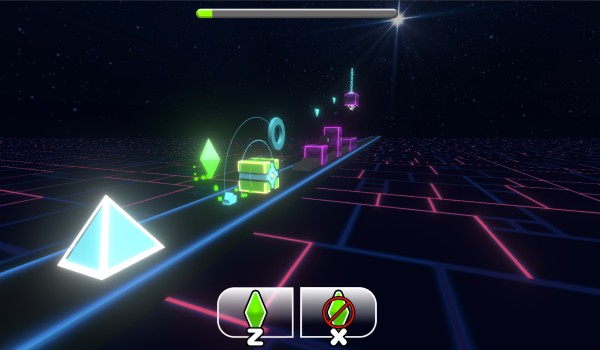
Figure 2. 3D game level with depth
Features That Set Geometry Dash Breeze 3D Apart
Layered Environments With Real Depth
The 3D staging gives each stretch of the course a layered look, with a clear foreground path running in front of a background that moves at a different rate, so the part you need to read stays prominent while the scenery adds atmosphere around it. For players, the real benefit is better anticipation, since parallax movement makes it easier to sense how quickly the course is advancing and when the next hazard is likely to arrive.
Jump Rings and Pads
Beyond the standard jump, the game relies on interactive elements that change how your character moves through a section, and each one asks for a slightly different kind of decision. Yellow rings let you jump again in the air as long as your press lands at the right moment, yellow pads launch you into a high jump automatically when you touch them, and blue pads send you even higher, which makes them valuable for reaching tall platforms but also risky when you hit them from the wrong position, so a ring rewards deliberate timing while a pad rewards good positioning and punishes careless approaches.
Ship Mode
When the course switches to ship mode, the control logic changes entirely, because you hold the input to fly upward and release it to descend, so the question you ask yourself shifts from when to jump to how long to hold. Small and controlled adjustments keep the ship steady inside narrow gaps, whereas large or panicked holds tend to carry you straight into the ceiling.
Coins and Bonus Points
Collectible coins add an optional goal on top of simply reaching the end, awarding bonus points and creating a clear balance between taking the safer line to finish the run and detouring for a coin at the cost of extra risk. For experienced players, that choice gives a reason to return to a section they have already cleared and attempt it in a more demanding way.
Gameplay: From First Jump to Precise Control
A typical attempt begins with a very simple rhythm in which you press, your character jumps and then lands, and the early obstacles teach you the spacing between a press and the arc that follows, so that you gradually learn how far a jump carries before you need to plan around anything more complicated.
Complexity then arrives through combinations, since a spike followed by a ring forces you to land and immediately prepare for another input, a pad changes your height so that the next press must account for a different trajectory, and ship sections shift the whole rhythm again by replacing short taps with longer holds and releases that demand a steadier hand.
Failure is a natural part of this learning loop, and when you crash the cause is usually specific, whether you pressed a fraction too early, held for too long or misjudged where you would land, so after a handful of attempts you stop reacting to the single spike in front of you and begin recognizing the whole pattern. That shift from reacting to anticipating is where the game becomes most satisfying, because repeated failure starts to feel like steady and visible progress.
How to Play Geometry Dash Breeze 3D
Controls
To jump, you can click with the mouse or press any of the following keys: Up arrow, W, Space, Ctrl, Caps Lock or any of the function keys along the top of the keyboard, and the same inputs also trigger a jump when you reach a yellow ring. In ship mode, you hold the input to fly up and release it to fly down, and you can press L at any time to toggle visual effects if the game feels laggy. Having so many options for the jump key is practical, since you can choose whichever one feels most comfortable and avoid unnecessary strain during longer sessions.
Five Strategies for Better Runs
- Look beyond your character. Focus on the next two or three hazards instead of the one directly beside you, because recognizing a pattern early gives your hands time to prepare for what comes next.
- Treat rings and pads as different decisions. A ring needs your press to activate, while a pad launches you without any input, so confusing the two is one of the most common reasons for a crash in the middle of a section.
- Use short and controlled holds in ship mode. Small adjustments keep you inside the gap, whereas holding the input for long stretches usually pushes you off course and leaves little room to recover.
- Memorize recurring patterns. Repeated spike layouts tend to have repeatable solutions, and once you know the rhythm of one of them you can perform it almost without conscious thought and save your attention for the next challenge.
- Weigh coins against risk. While you are still learning a section, it makes sense to prioritize a clean completion, and only after the route feels automatic should you go back and take the riskier line for the bonus points.
What Makes the Experience Challenging?
The first challenge is precision under constant motion, because you cannot stop or slow down and a mistake is rarely recoverable, so an early jump over a cluster of spikes simply lands you on the hazard. The most effective approach is to break the section into smaller pieces, handling the first jump cleanly before shifting your focus to the next, which keeps the whole sequence from feeling overwhelming.
A second challenge lies in switching between movement styles, since moving from jumping by tapping into ship mode asks your hands to adopt a completely different rhythm in an instant, and players who rush that transition tend to hold the input for too long or too briefly. A calmer approach is to relax your grip just before the change and make your first input smaller than you think necessary, which gives you a moment to feel how the ship responds.
Visual clarity at speed is a third challenge, because depth effects add atmosphere but can also compete for your attention, and if you find it hard to separate hazards from the background, turning effects off with the L key simplifies the screen and lets you concentrate on the path itself.
Rhythm and the Feel of Movement
The game is built around the idea of moving in rhythm, and even without every obstacle being perfectly synchronized to a soundtrack, repeated tapping creates a natural tempo that many players find works better than frantic pressing. Music can help you settle into that pace, but your own reading of the obstacle layout remains the most reliable guide, so it is best to treat the audio as support for your timing instead of a guarantee of it.
Frequently Asked Questions
What is Geometry Dash Breeze 3D?
It is a rhythm platformer in the Geometry Dash tradition, in which your character moves forward automatically and you time your inputs to clear spikes, rings, pads and ship sections, all presented with a 3D look that adds depth to the course.
How do the controls work?
You click or press Up, W, Space, Ctrl, Caps Lock or one of the function keys to jump, you hold and release the input to control the ship, and you press L to turn the visual effects on or off whenever you want to reduce lag.
What makes it difficult?
Because your character cannot stop moving, every obstacle depends on timing, and combining rings, pads and ship sections raises the difficulty without adding any new buttons.
How can I improve quickly?
Study the path ahead, learn the patterns that repeat, and make small adjustments in ship mode, since practicing one section several times builds consistency much more reliably than rushing through the whole course.
Does the game have optional goals?
Yes, collectible coins award bonus points, which gives you a reason to replay sections and attempt riskier routes once the basic path feels comfortable.